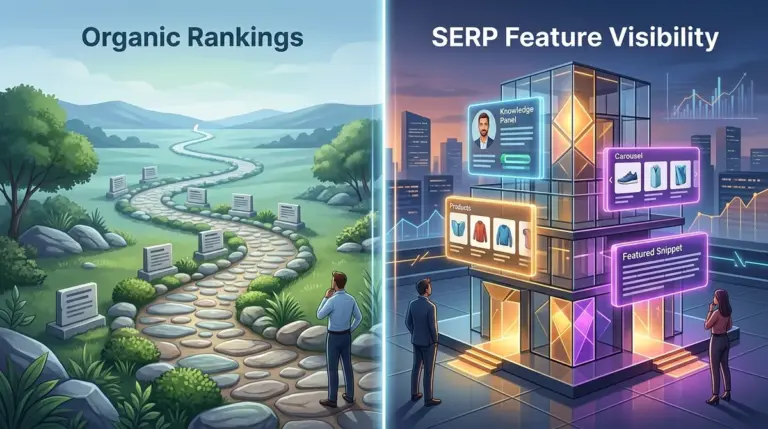
Securing the top spot in organic search results is no longer a binary achievement. The introduction of featured snippets, often referred to as "Position Zero," has fundamentally restructured the search engine results page (SERP) and redefined what it means to rank first. For SEO professionals and site owners, the presence of a snippet is not just a visibility boost; it is a variable that can either cannibalize your existing organic traffic or act as a defensive barrier against competitors. Understanding how these snippets interact with standard organic positions is essential for managing click-through rates (CTR) and maintaining a predictable flow of search traffic. To truly succeed, you need to understand organic rankings versus SERP feature visibility.
The Strategic Shift from Position One to Position Zero
In the traditional SERP layout, the hierarchy was clear: Position 1 received the lion's share of clicks, followed by a steep drop-off for positions 2 through 10. Featured snippets disrupted this by placing a large, informative block of text or data above the traditional blue links. This shift forced a re-evaluation of keyword value. A keyword with high volume but a dominant featured snippet may yield fewer clicks to the website than a lower-volume keyword where the standard organic links remain the primary focus.
Best for: Sites targeting "what is" or "how to" queries where brand authority is built through immediate answer delivery.
The Mechanics of Deduplication and SERP Real Estate
Prior to January 2020, a single URL could hold both the featured snippet and the top organic position on the same page. This "double-dip" was a massive advantage for high-authority domains. Google’s deduplication update changed this, ensuring that if a page is elevated to the featured snippet, its standard organic listing is removed from the first page of results. This means winning a snippet is no longer an addition to your organic presence; it is a replacement.
Warning: Winning a featured snippet for a high-converting keyword can sometimes lead to a net loss in traffic if the snippet provides the user with everything they need, eliminating the reason to click through to your site.
When deduplication occurs, the organic link typically moves to the top of the second page. This creates a high-stakes trade-off. If your snippet is informative enough to satisfy the user's intent entirely, you may see your impression count rise while your click-through rate plummets. This is the "zero-click" phenomenon, and it requires a specific content strategy to mitigate.
Quantifying the CTR Impact of Featured Snippets
Data suggests that when a featured snippet is present, the CTR for the first organic result—even if it is the same site—drops significantly compared to a SERP without a snippet. In a standard SERP, Position 1 might capture 25% to 30% of clicks. When a snippet is introduced, that snippet usually captures about 8% to 10% of clicks, while the organic results below it see their shares diluted.
However, the impact is not uniform across all industries. For technical documentation or data-heavy queries, the snippet might capture nearly all the available clicks. For commercial queries where the user needs to browse options, the snippet acts more like a billboard, driving brand recognition even if the click happens further down the page. Agencies must analyze the "click-to-impression" ratio on a per-keyword basis to determine if the snippet is helping or hurting the bottom line.
Evaluating Snippet Types for Maximum Commercial Value
Not all snippets are created equal. The format of the snippet dictates how much organic traffic is diverted from the standard positions. There are four primary types that SEOs must account for:
- Paragraph Snippets: These are the most common and typically answer "why" or "who" questions. They are the most likely to cause zero-click searches if the answer is concise.
- List Snippets (Ordered and Unordered): These appear for "how to" or "best of" queries. If the list is long enough to be truncated (e.g., "Show more..."), it can actually increase CTR by enticing the user to see the full list on your site.
- Table Snippets: Often used for pricing, specifications, or data comparisons. These are highly effective for commercial intent but require clean HTML markup to trigger.
- Video Snippets: These often feature "suggested clips" that take users directly to a specific timestamp. This bypasses the standard organic text results entirely, shifting the competition to YouTube or hosted video platforms.
By identifying which snippet type a keyword triggers, you can structure your content to be "click-heavy." For example, using a list that exceeds the snippet’s display limit encourages the user to click through to read the remaining steps.
The Zero-Click Dilemma: When Visibility Doesn’t Equal Traffic
The rise of featured snippets has led to a significant increase in zero-click searches. For informational queries like "What time is it in London?" or "Current USD to EUR rate," Google provides the answer directly. If your site ranks for these terms, your organic position is functionally worthless for traffic generation.
For more complex queries, the snippet acts as a "lead magnet." The goal is to provide enough information to prove your authority but leave enough depth to necessitate a click. If you find that winning a snippet has caused a 20% drop in traffic for a core keyword, it may be time to use the data-nosnippet attribute or max-snippet tags to limit what Google can pull, potentially forcing the user back to the standard organic link.
Strategic Implementation: When to Fight for the Snippet
Winning the snippet is a defensive necessity when a competitor holds it. If a competitor’s snippet is providing incorrect or inferior information, capturing that spot allows you to control the narrative and push their organic link to page two.
To capture the snippet from an organic position, focus on the "Snippet Bait" technique:
1. Identify the current snippet type (Paragraph, List, Table).
2. Create a concise 40–60 word summary or a clearly labeled list/table at the top of your content.
3. Use H2 or H3 headers that mirror the exact query.
4. Ensure the content is objective and factual, as Google’s algorithm prefers "encyclopedic" tones for snippets.
Developing a Data-Led Snippet Strategy
To manage the relationship between snippets and organic positions, you must move beyond simple rank tracking. Monitor the "SERP Features" for every high-value keyword. If you see a featured snippet appear for a term where you hold Position 1, expect an immediate shift in your traffic patterns. The objective is to ensure that your presence in the snippet is more compelling than the organic links below it. In many cases, the snippet is the only result a user sees on mobile devices, making it the most valuable piece of real estate on the web, regardless of how it affects traditional organic metrics.
Frequently Asked Questions
Does winning a featured snippet always increase my total traffic?
Not necessarily. While it increases visibility, it can lead to "zero-click" searches where the user finds the answer on the SERP and never visits your site. It is vital to track click-through rates alongside rankings.
Can I have both a featured snippet and a Position 1 organic link?
No. Since the January 2020 deduplication update, Google removes the organic listing from page one if that URL is already featured in the snippet. Your organic link will usually appear at the top of page two.
How can I prevent Google from using my content in a featured snippet?
You can use the nosnippet meta tag to prevent any part of your page from appearing in snippets, or the max-snippet:[number] tag to limit the character count Google can display. This is sometimes used to force users to click the organic link for the full answer.
Do featured snippets affect mobile and desktop positions differently?
Yes. On mobile, a featured snippet often takes up the entire first screen, making it significantly more impactful than on desktop. The "Position Zero" effect is amplified on mobile, often resulting in a higher percentage of clicks for the snippet holder compared to desktop users.