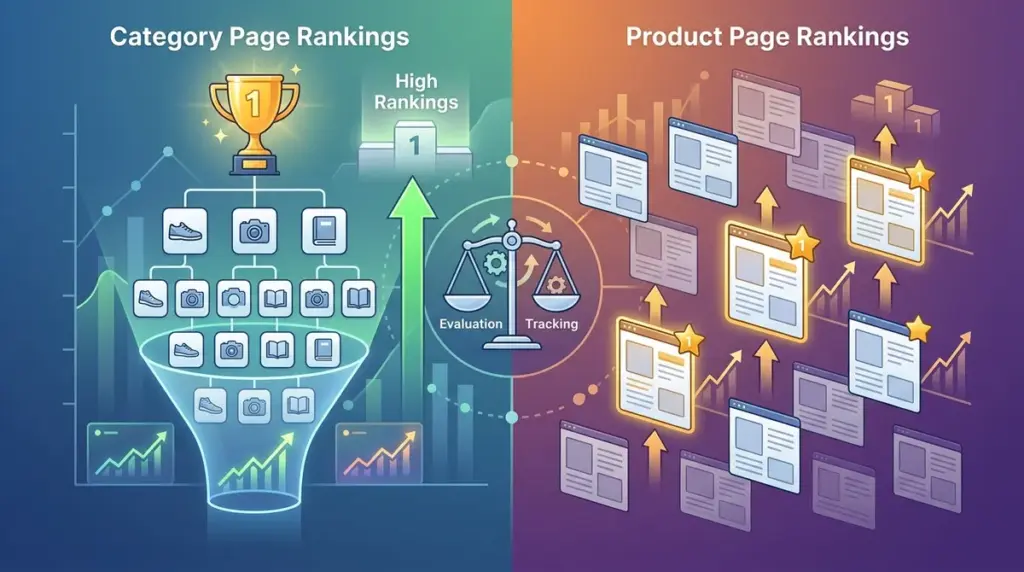
E-commerce SEO success is rarely about total keyword volume. It is about the surgical distribution of traffic between Product Listing Pages (PLPs) and Product Detail Pages (PDPs). For a retail site, a category page ranking for "men's running shoes" serves a vastly different commercial purpose than a product page ranking for "Nike Air Zoom Pegasus 40 Blue." If your rank tracking doesn't distinguish between these two, your reporting is likely obscuring the actual health of your sales funnel.
Category pages act as the discovery layer, capturing broad, high-volume intent. Product pages are the final destination, capturing specific, transactional intent. Tracking them requires different metrics, different tagging, and different reactions to volatility. Mismanaging this distinction leads to "keyword cannibalization," where your own pages compete against each other, confusing search engines and diluting your authority.
The Intent Disparity Between PLPs and PDPs
Search engines categorize user intent into four main buckets: informational, navigational, commercial, and transactional. Category pages typically sit at the intersection of commercial and transactional. Users are looking to compare options within a specific class. Product pages, however, are purely transactional. The user has already narrowed their choice down to a specific SKU.
Best for Category Pages: Capturing "head terms" and "middle-tail" keywords where the user is still in the consideration phase. These pages require high authority and strong internal linking to stay competitive.
Best for Product Pages: Capturing "long-tail" keywords, specific model numbers, and "buy [product name]" queries. These pages rely on technical SEO, schema markup, and user reviews to convert traffic.
Monitoring Category Pages for Market Share
Category pages are your primary drivers of brand awareness and site-wide authority. When tracking these, you are looking for stability in the top 10 positions for competitive terms. Because these pages often have higher bounce rates than product pages, their value is measured by their ability to distribute "link juice" and guide users to specific products.
- Internal Link Equity: Category pages should be monitored for how many internal links they receive from the homepage and blog posts.
- Keyword Breadth: A single category page might rank for hundreds of variations. Track the "average position" of the top 20 keywords for that category to gauge overall health.
- Seasonal Volatility: Category rankings for terms like "winter coats" will fluctuate based on seasonal demand. Track these against historical year-over-year data rather than month-over-month.
If a category page drops in rank, it often signals a structural issue, such as a broken breadcrumb trail or a sudden influx of "out of stock" products that have thinned the page's content.
Tracking Product Pages for High-Margin Conversions
Product page tracking is more granular and often more volatile. Because individual products can be discontinued or updated, tracking every single SKU is often a waste of resources. Instead, focus your tracking on "Hero Products"—the 20% of SKUs that drive 80% of your revenue.
Tracking PDPs requires a focus on specific technical triggers. You should monitor how price changes or "In Stock" status affect your click-through rate (CTR) in the SERPs. Search engines increasingly prioritize product pages that provide clear price and availability data via Search Engine Position Tracker markup.
Warning: If a product page begins outranking your category page for a broad head term, it often indicates a lack of internal linking depth or a failure in the category page’s content relevance. This shift usually results in a lower average order value as users are funneled into a single SKU rather than a broad selection.
Identifying Keyword Cannibalization in E-commerce SERPs
Cannibalization occurs when Google cannot decide whether to show a category page or a specific product page for a query. This is common in niche categories where a single product is synonymous with the category itself. To diagnose this, look for "ranking flip-flops" in your tracking data. If your URL for a specific keyword changes frequently between a PLP and a PDP, your site structure is sending mixed signals.
To resolve this, audit your anchor text. Ensure that broad terms always link back to the category page, while specific model names link to the product page. Use canonical tags if you have multiple product variations (colors, sizes) that might be competing for the same "product name" keyword.
Technical Reporting Requirements for Multi-Tier Tracking
To get a clear picture of performance, you must segment your tracking. Use tags or folders within your rank tracking environment to separate "Category" from "Product." This allows you to generate separate reports for stakeholders who care about different outcomes. An SEO manager needs to see category growth; a Merchandising Manager needs to see product-level performance.
When reporting on these segments, look for the following differentiators:
- SERP Features: Category pages should aim for "People Also Ask" and "Top Stories." Product pages should aim for "Product Grids," "Reviews," and "Price Drop" snippets.
- Device Split: Product pages often see higher conversion on desktop where users feel more secure checking out, while category browsing is high on mobile.
- Competitor Set: Your competitors for category terms might be large publishers or review sites (e.g., Wirecutter), while your competitors for product terms are likely other direct retailers (e.g., Amazon, Walmart).
Refining Your E-commerce Tracking Strategy
Effective tracking is not about monitoring every possible keyword; it is about mapping your tracking to the buyer's journey. Start by identifying your top 50 category pages and your top 200 product pages. Tag them accordingly and monitor the "Ranking URL" column in your data daily. If you see a product page creeping into a category slot, intervene with internal link adjustments. If a category page loses its "Rich Snippet" status, audit your schema. By treating these two page types as distinct assets with unique KPIs, you ensure that your SEO strategy supports both long-term brand growth and immediate transactional revenue.
Frequently Asked Questions
Should I track every single product SKU?
No. For most e-commerce sites, tracking every SKU is cost-prohibitive and creates data noise. Focus on your top-performing products, new arrivals, and high-margin items. Use category-level tracking to monitor the general health of smaller products.
Why do category pages fluctuate more than product pages?
Category pages are often subject to more intense competition from broad-authority sites. They also change dynamically as products are added or removed. If your category page rankings are unstable, check if your "out of stock" logic is removing too many products from the view at once.
How do I handle seasonal category page tracking?
Keep seasonal category URLs live year-round, even if they are not linked in the main navigation. Continue tracking them to maintain historical data and authority. Use a "Coming Soon" or "Best of [Previous Year]" layout to keep the page relevant during the off-season.