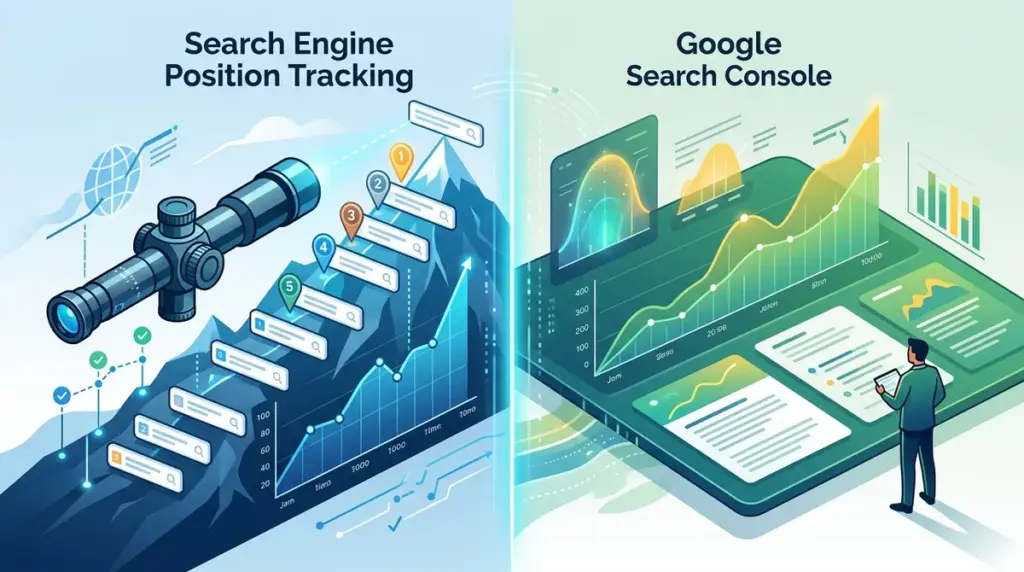
Choosing between Google Search Console (GSC) and a dedicated search engine position tracker is not a matter of finding the "better" tool, but rather understanding where diagnostic data ends and competitive intelligence begins. Google Search Console is a first-party reporting interface that shows how Google sees your site. A position tracker is a third-party monitoring system that shows how the world sees the search results. For a performance-driven SEO strategy, relying solely on GSC is like trying to win a race by only looking at your own speedometer while ignoring the other cars and the track conditions ahead. Understanding the distinction is key, as knowing what a position tracker is helps clarify its role in competitive analysis.
The Structural Difference Between Logged Data and Scraped Data
Google Search Console provides data based on actual user impressions. If a user performs a search and your URL appears in the results, GSC logs that event. This makes it the ultimate source of truth for click-through rates (CTR) and actual traffic volume. However, because it relies on user activity, GSC data is inherently retrospective and anonymized. If no one searches for a keyword in a specific geographic area during a 24-hour window, GSC has no data to report for that period.
Dedicated position trackers operate via automated agents that simulate searches at specific intervals. This provides a controlled, consistent environment. While GSC data is often delayed by 48 to 72 hours, a position tracker can provide on-demand updates, allowing SEOs to see the immediate impact of a site migration, a content update, or a Google core algorithm rollout.
Best for: Validating actual traffic and identifying "hidden" keywords that your site is already ranking for without intentional optimization.
Why Google Search Console’s Average Position is Often Misleading
The "Average Position" metric in GSC is one of the most misunderstood data points in digital marketing. Because it is an average of every single impression, it is heavily skewed by localization, personalization, and device types. If your site ranks #1 in London but #20 in Manchester, GSC might report an average position of #10. This number is functionally useless for a local business or a brand trying to dominate a specific region.
The impact of localization and personalization
Modern SERPs are hyper-localized. A position tracker allows you to set specific coordinates—down to the zip code or city level—to see exactly what a user in that location sees. GSC aggregates this data, washing out the nuances of local map packs and regional ranking fluctuations. For agencies managing multi-location clients, the granular control of a tracker is a non-negotiable requirement for reporting accuracy.
Device-specific volatility
While GSC allows you to filter by device, it still averages the positions within those categories. A dedicated tracker can monitor mobile and desktop SERPs side-by-side in real-time, highlighting instances where a mobile-first indexing issue might be causing a drop on smartphones while desktop rankings remain stable. This level of segmentation is critical for troubleshooting technical SEO regressions.
Pro Tip: Never use GSC average position as a Key Performance Indicator (KPI) for stakeholders. Instead, use a position tracker to report on "Share of Voice" or "Top 3 Rankings," which provide a much clearer picture of market dominance and commercial intent.
Competitive Benchmarking and Market Share
The most significant limitation of Google Search Console is that it only provides data for your own domain. You are essentially operating in a vacuum. You can see your rankings drop, but you cannot see who replaced you. Did a direct competitor launch a better landing page? Did an aggregator like Yelp or Amazon move into the top spot? GSC cannot answer these questions.
Position tracking software allows for side-by-side competitor monitoring. You can track your target keyword list against five or ten competitors simultaneously. This reveals market trends that GSC obscures, such as:
- Competitor Movement: Identifying which specific competitor is gaining ground across your entire keyword set.
- SERP Volatility: Determining if a ranking drop is unique to your site or if the entire first page is being reshuffled by an algorithm update.
- Content Gaps: Spotting keywords where competitors are ranking with SERP features (like Featured Snippets) that you haven't optimized for yet.
SERP Feature Tracking and Visual Real Estate
In the modern search environment, being #1 is no longer the highest achievement if a Featured Snippet, a "People Also Ask" box, and a Local Pack are pushing the first organic result below the fold. Google Search Console is notoriously poor at distinguishing between a standard blue link and a SERP feature in its primary reporting interface.
A dedicated position tracker identifies every element on the page. It tells you if you own the Featured Snippet, if your images are appearing in the Image Pack, or if a competitor’s video is capturing the majority of the "above the fold" real estate. This allows you to pivot your strategy from "ranking higher" to "occupying more pixels." If you see that a "People Also Ask" box has appeared for your primary keyword, you can immediately update your content to target those specific questions—a move you wouldn't know to make based on GSC data alone.
Best for: Visualizing the actual layout of the search results and identifying opportunities to capture non-standard ranking positions.
Data Retention and API Scalability
Google Search Console limits its data retention to 16 months. For long-term SEO strategy and year-over-year (YoY) analysis, this is a significant hurdle. While you can export data to BigQuery or use third-party connectors, the native interface is restrictive. Furthermore, the GSC UI often limits the number of rows you can view or export, which can hide valuable long-tail data for large e-commerce sites.
Position trackers typically offer much longer data retention, often keeping your ranking history for as long as you maintain the account. This historical record is vital for identifying seasonal trends and proving the long-term ROI of SEO efforts to clients or executives. Additionally, the APIs provided by tracking tools are generally more flexible for custom dashboarding in tools like Looker Studio, allowing you to blend ranking data with conversion data from GA4.
Executing a Dual-Data Strategy
To maximize search visibility, use Google Search Console as your diagnostic engine. Use it to find technical errors, monitor indexing status, and identify keywords that are getting impressions but no clicks. This is your "inside-out" view.
Simultaneously, use a search engine position tracker as your strategic command center. Use it to monitor competitors, track local performance, and measure your total SERP presence across various features. This is your "outside-in" view. By combining GSC’s click data with a tracker’s precise positioning and competitive insights, you create a feedback loop that informs better content creation and more aggressive technical optimization.
Frequently Asked Questions
Why do my rankings in GSC look better than my position tracker?
GSC reports the highest position your site reached for any given impression. If you ranked #1 for a few hours due to a localized test by Google, but spent the rest of the day at #15, GSC may skew toward the higher number. A tracker provides a snapshot at a specific time, which is often more representative of the stable "resting" position of your page.
Can I use GSC to track my competitors?
No. Google Search Console only provides data for domains that you have verified ownership of through DNS or HTML file uploads. To see how competitors rank for your target keywords, you must use a third-party position tracking tool.
Is the 48-hour delay in GSC a problem for SEO?
For day-to-day management, yes. If you launch a major site change or if a competitor launches a massive campaign, waiting two days to see the impact in GSC can result in lost revenue. Position trackers provide the "early warning system" needed to react to market changes in real-time.
Does a position tracker affect my site's performance?
No. Position trackers do not "crawl" your site in the way Googlebot does. They query the search engine results pages directly. They have zero impact on your server load or your site's actual performance in the eyes of Google.