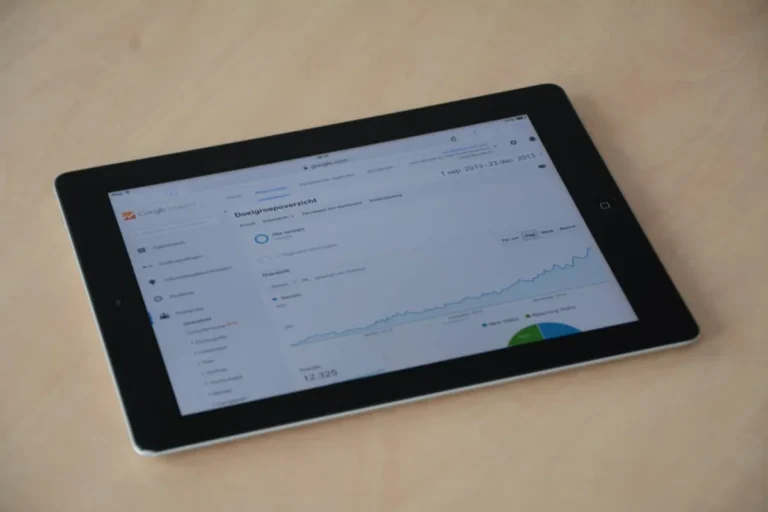
Reporting local ranking gains requires more than a screenshot of a keyword list. For a local business, a ranking in the "Map Pack" three miles away is functionally different from a ranking three blocks away. When communicating these wins to clients, you must bridge the gap between abstract positions and the physical reality of their storefront or service area. Clients do not deposit "rankings" into the bank; they deposit revenue generated by the phone calls and foot traffic those rankings trigger. To truly understand client success, it's vital to measure ranking performance for near me keywords, as these directly impact local foot traffic.
Effective local reporting shifts the focus from a single city-wide data point to a granular, geographic visualization of progress. This approach proves the efficacy of your SEO strategy by showing exactly where the business is winning territory and where competitors still hold the advantage.
Distinguishing Between the Local Pack and Localized Organic Results
The first step in a professional local report is clarifying the two distinct ways a business appears in search. You must report on the Google Business Profile (GBP) Map Pack and the localized organic blue links separately. These two areas are governed by different ranking factors—proximity and relevance for the Map Pack, and traditional on-page and backlink authority for organic results.
Reporting Strategy: Use a side-by-side comparison. Show the client how their organic ranking for "plumber in [City]" correlates with their Map Pack visibility. Often, an increase in organic authority lifts the Map Pack position. Highlighting this connection justifies the time spent on technical SEO and content creation, which clients might otherwise view as secondary to their "map listing."
Utilizing Geo-Grid Tracking for Visual Proof
Traditional rank tracking provides a single number for a keyword. In local SEO, that number is often an average or a snapshot from a single coordinate, which is misleading. A business might rank #1 at its front door but drop to #10 two blocks away. Geo-grid reporting solves this by showing a map overlaid with a grid of ranking pins.
Setting the Radius and Density
When presenting these grids to clients, define the parameters clearly. For a high-density urban area, a 5x5 grid covering a three-mile radius is often sufficient to show the "neighborhood effect." For rural businesses or service-area businesses (SABs) like roofers, you may need a 10-mile radius with a 7x7 grid. Seeing a map turn from red (rankings 10+) to green (rankings 1-3) over six months is the most visceral way to prove value to a non-technical client.
Pro Tip: Always include a "Share of Voice" metric alongside your geo-grids. This calculates the percentage of the grid where the client appears in the top three positions compared to their top three competitors. It frames the report as a competitive takeover rather than just a technical improvement.
Correlating Rank Gains with Google Business Profile Insights
Rankings are a leading indicator; GBP Insights (now Business Profile Performance) are the lagging indicator. To make your report commercially relevant, you must map the ranking increases to specific actions. If "Emergency Locksmith" moved from position #5 to #1, the report should immediately show the corresponding spike in "Click to Calls" or "Request a Quote" messages.
- Discovery Searches: Show the increase in users finding the listing by searching for a category or service rather than the business name.
- Direction Requests: For brick-and-mortar retail, this is the strongest proxy for foot traffic.
- Photo Views: Increased visibility often leads to higher engagement with listing media, which reinforces the business's brand authority.
By layering this data, you demonstrate that your SEO work is driving intent-rich traffic, not just vanity impressions. If rankings are up but calls are flat, it signals a conversion issue with the profile itself—such as poor reviews or missing information—which allows you to pivot the strategy and offer more value.
Segmenting Reports by Service Area and Location
For clients with multiple locations, a "roll-up" report is usually insufficient. Each location operates in a unique competitive micro-climate. Your reporting structure should provide an executive summary of total growth across all locations, followed by deep dives into individual branches.
Best for: Multi-location franchises or regional service providers. Group locations by performance tiers. "Winning" locations require maintenance, while "Underperforming" locations require a breakdown of local competitor backlink profiles or citation gaps. This level of detail shows the client you are managing their entire footprint with precision, not just looking at the aggregate average.
Translating Technical Gains into Business Value
The final section of your report should move away from the "how" and focus on the "what next." Avoid using jargon like "NAP consistency" or "schema markup" without explaining the business outcome. Instead of saying "We fixed 20 citations," say "We synchronized your business data across 20 high-traffic directories to ensure customers always find the correct phone number and hours."
Quantify the "Opportunity Cost" of lost rankings. If the top-ranking competitor is receiving an estimated 500 calls a month based on their search volume and the client is only receiving 100, that 400-call gap is the target. Reporting against the "Gap" keeps the client focused on the growth potential and justifies continued investment in the campaign.
Local Reporting FAQ
How often should I send local ranking reports?
Monthly is standard for most clients. Local rankings can fluctuate daily based on Google's proximity algorithms and minor competitor updates. Reporting too frequently can lead to "micro-management" of the data, where clients panic over a temporary drop of two positions in one corner of the grid.
Why do my rankings look different on my phone than in the report?
Explain to the client that Google personalizes results based on search history, logged-in accounts, and exact GPS coordinates. A professional rank tracker uses "clean" browser environments and fixed coordinates to provide an objective baseline that isn't skewed by the client's personal browsing habits.
What is the most important metric in a local SEO report?
While rankings get the attention, "Conversions" (Calls, Website Visits, Messages) are the most important. A #1 ranking that generates zero calls is less valuable than a #3 ranking that generates ten. Always prioritize the data that reflects actual customer interaction.
How do I handle a sudden drop in local rankings?
First, check for a "Google Business Profile" suspension or a major algorithm update. If the drop is isolated to a specific area, it is likely a competitor has gained a proximity advantage or updated their profile. Address the drop transparently in the report, citing the specific cause and your plan to reclaim the territory.